Introduction
Choosing the right WordPress theme is critical. First impressions determine whether visitors stay or bounce, and site speed is a non-negotiable factor in 2026. While thousands of themes claim to be “fast” and “flexible,” few deliver on both promises without bloating your database.
Enter Astra. Built by the team behind Schema Pro, Astra has become one of the most popular themes in the WordPress ecosystem—with over 1 million active installations. But does it live up to the hype?
In this review, we’ll break down Astra’s performance, features, and the real differences between the Free and Pro versions—so you can decide if it’s the right foundation for your project.
Why Astra Stands Out
Astra isn’t just another multipurpose theme. It was built from the ground up with performance and developer experience in mind. Here’s what sets it apart:
- Lightweight Architecture: The core theme loads with less than 50KB of resources—significantly smaller than the average WordPress theme (300KB+).
- SEO-Ready: Clean code, schema markup integration, and fast load times help your site rank better in search results.
- Page Builder Agnostic: Works seamlessly with Gutenberg, Elementor, Beaver Builder, Brizy, and Divi.
- White-Label Ready: Remove Astra branding and rebrand the Customizer for client projects (Pro feature).
- Starter Templates Library: Import professionally designed websites in one click via the free Starter Templates plugin.
- Developer-Friendly: Extensive hooks, filters, and CSS variable support for custom extensions.
Performance: Built for Speed
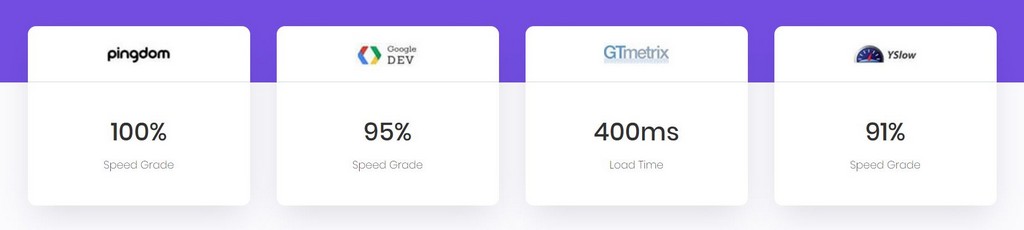
In an era where Core Web Vitals impact SEO, Astra’s performance is its strongest asset.
- Zero jQuery Dependency: Astra avoids loading jQuery by default, reducing render-blocking resources.
- Optimized Asset Loading: CSS/JS files are loaded conditionally—only when needed.
- Native Lazy Load & Preload Support: Improves LCP (Largest Contentful Paint) out of the box.
- AMP Compatibility: Built-in support for Accelerated Mobile Pages.
Real-World Impact: A fresh WordPress install with Astra typically loads in under 0.5 seconds on standard hosting—without caching plugins.
Customization: The WordPress Customizer Experience
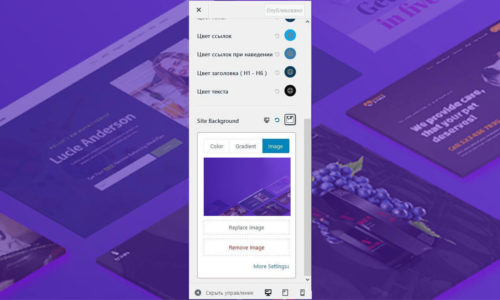
Astra leverages the native WordPress Customizer (Appearance > Customize) for real-time previews. No PHP knowledge required.
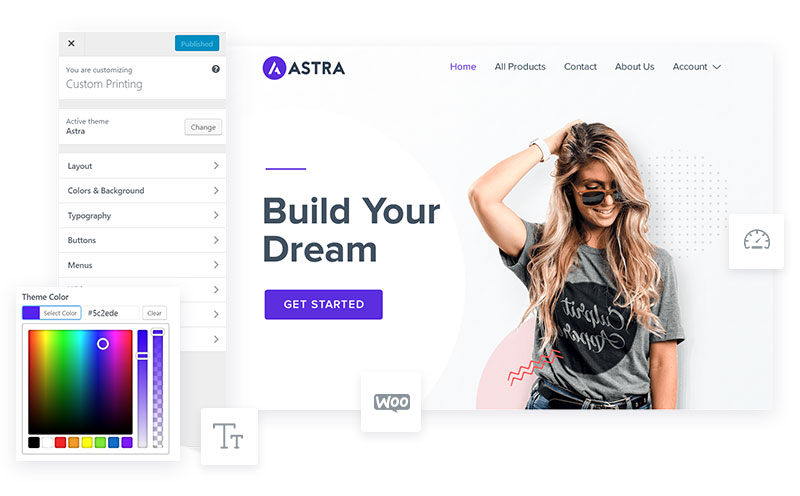
Key Customization Areas:
- Global Colors & Typography: Set design tokens once, apply site-wide.
- Container Controls: Adjust width, padding, and layout (Boxed, Full-Width, Stretched) per page type.
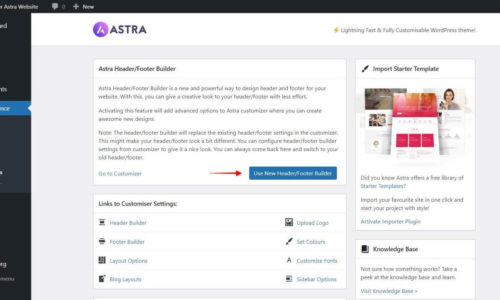
- Header & Footer Builder: Drag-and-drop interface for creating responsive headers (Free: basic; Pro: advanced).
- Blog & Archive Layouts: Control post structure, meta visibility, and sidebar placement.
- Mobile Breakpoints: Customize typography, spacing, and visibility for tablet/mobile.
Astra Free vs. Astra Pro: What’s the Real Difference?
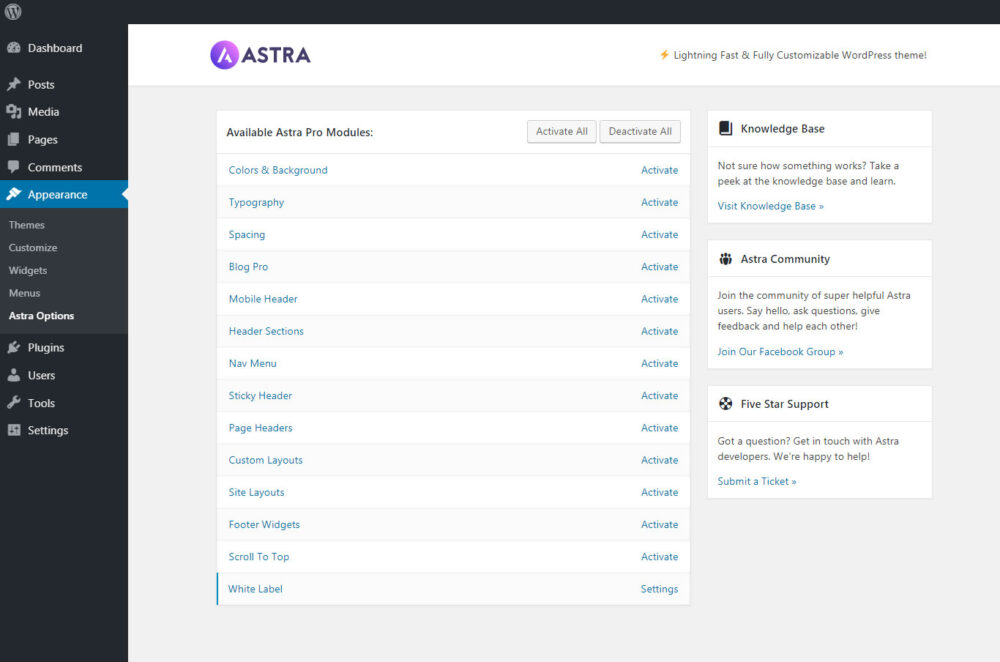
The free version of Astra is powerful enough for most blogs and small business sites. But Pro unlocks professional-grade features.
| Feature | Astra Free | Astra Pro |
| **Header Builder** | Basic (1 row) | Advanced (Above/Primary/Below rows, sticky, transparent) |
| **Colors & Backgrounds** | Limited globals | Granular control per section + overlays |
| **Typography** | Basic font controls | Advanced controls per element + responsive sizing |
| **Blog/Archive Layouts** | Basic options | Grid, masonry, custom meta, excerpt controls |
| **WooCommerce Integration** | Basic styling | Deep customization (off-canvas cart, quick view, gallery layouts) |
| **Custom Layouts (Hooks)** | ❌ | ✅ Insert content anywhere via hooks |
| **Scroll to Top** | ❌ | ✅ Built-in button with styling |
| **White Label** | ❌ | ✅ Rebrand for agencies |
| **Site Library Access** | Free templates only | 280+ premium starter sites |
Who Is Astra Pro For?
Stick with Astra Free if:
- You’re building a personal blog, portfolio, or simple business site.
- You’re comfortable with basic Customizer settings.
- You don’t need advanced header/footer layouts or WooCommerce tweaks.

Upgrade to Astra Pro if:
- You’re a freelancer or agency building client sites (White Label + unlimited sites).
- You need pixel-perfect control over headers, footers, and blog layouts.
- You run a WooCommerce store and want conversion-optimized product pages.
- You want access to premium Starter Templates and priority support.
Pricing & Licensing
Astra Pro is sold as an annual subscription or lifetime license. All plans include unlimited site usage—a rare benefit in the premium theme market.
Current Tiers:
- Astra Pro: Core Pro features + support + updates.
- Essential Bundle: Astra Pro + 280+ premium Starter Templates + WP Portfolio plugin.
- Growth Bundle: Everything above + ConvertPro (lead gen) + Schema Pro (SEO) + Ultimate Add-ons for page builders.
💡 Pro Tip: Brainstorm Force frequently runs seasonal promotions (Black Friday, New Year). Check the official site for current discounts. All purchases include a 14-day money-back guarantee.
The Verdict: Should You Use Astra?
✅ Pros:
- Blazing fast performance with minimal bloat.
- Deep integration with major page builders.
- Intuitive Customizer workflow for non-developers.
- Extensive hooks/filters for developers.
- Excellent documentation and active support community.
- Unlimited site licensing on all Pro plans.
⚠️ Considerations:
- Some advanced features (Sticky Header, Custom Layouts) require Pro.
- The sheer number of options can feel overwhelming for absolute beginners (but the Starter Templates mitigate this).
Final Thought:
Astra strikes a rare balance: powerful enough for developers, accessible enough for beginners. If you prioritize speed, flexibility, and clean code, Astra is one of the safest investments you can make for your WordPress stack